Security8 min read
Ledger Wallet (Ledger Live) and Trezor Suite: What the Companion Apps Do
Ledger Wallet (formerly Ledger Live) and Trezor Suite pair with hardware wallets. See what the apps do, what they cannot do alone and how to get them safely.
By Christopher CannucciariPublished
On this page
Key takeaways
- Ledger Wallet (formerly Ledger Live) and Trezor Suite are companion apps. They show balances, prepare a payment and pass it to the device, where you check and approve it on the device’s own screen.
- The app is not the wallet. The recovery phrase is. You can delete and reinstall an app freely, but nobody can restore a lost phrase.
- Ledger announced the rename from Ledger Live to Ledger Wallet in October 2025, and its own pages still show both names.
- Buying, swapping and staking inside both apps come from third-party providers with their own fees and terms.
- Download from the maker’s official site or its official store listing. Neither company asks for your recovery phrase.
What is a hardware wallet companion app?
A companion app is software on your computer or phone that talks to a hardware wallet. It shows your balances, builds a payment and sends it to the device. You check the destination and amount on the device’s own screen, approve with its buttons, and the device signs the payment inside itself. The app then broadcasts the signed result. The private keys never leave the device.
A bank slip is a fair comparison. The app fills out the slip, but only the signature authorizes it, and the signature happens on a device that malware on your computer cannot reach. What Is a Hardware Wallet? covers the device itself, and Bitcoin Wallets Explained places it among the other wallet types.
Is Ledger Live now called Ledger Wallet?
Yes. Ledger’s own page for the app is titled Ledger Wallet (ex. Ledger Live) and carries a tag reading “Formerly Ledger Live”. Ledger’s blog post announcing the change is dated 23 October 2025 and says the app has evolved into Ledger Wallet. Ledger’s academy article states that the underlying product is the same.
At the same time Ledger started to call its devices “signers” instead of hardware wallets. Its developer documentation says the renaming is still in progress, so older support pages use both names. This article uses both so that you can match it to whatever you meet.
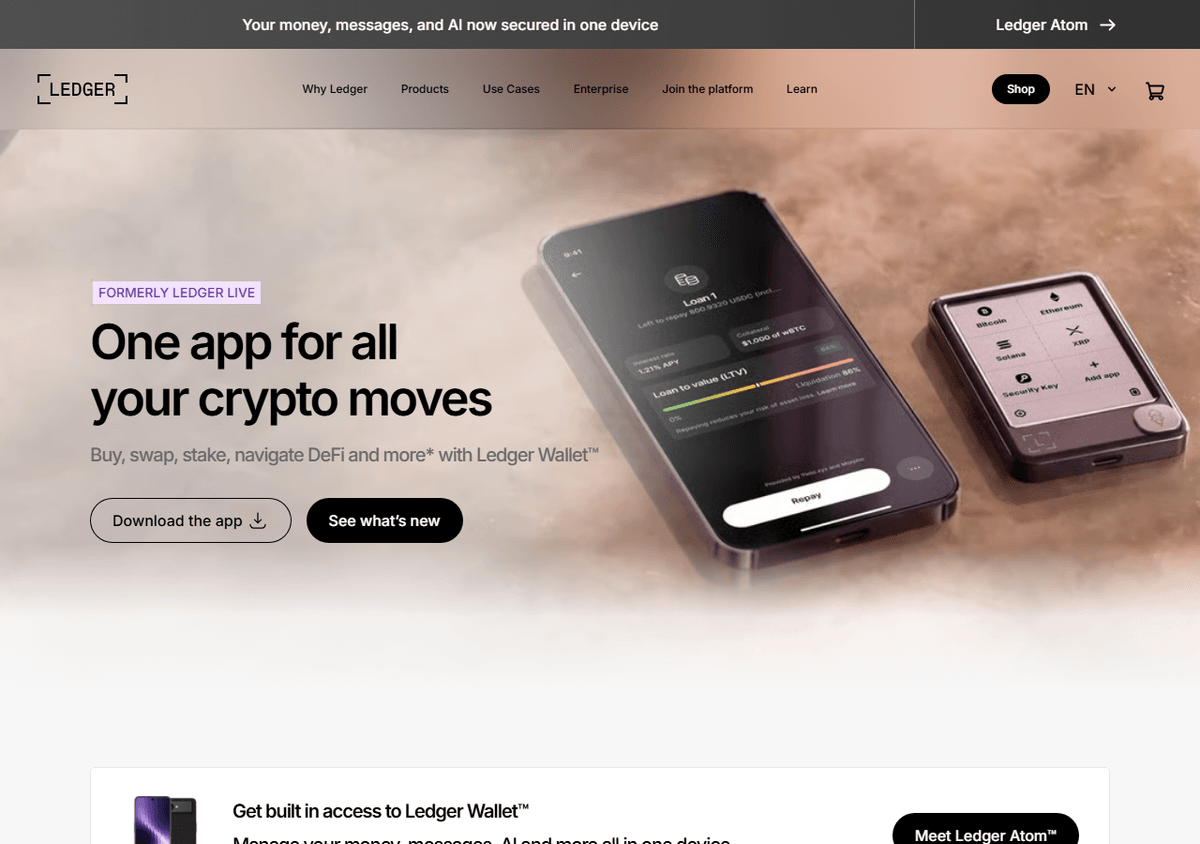
What do Ledger Wallet and Trezor Suite do?
Both apps manage a vendor’s own devices and cover the same basic jobs: viewing balances and history, receiving, sending, and reaching third-party services. Per Ledger’s page, Ledger Wallet is a desktop and mobile app that keeps the keys in the device and shows the transaction details on the device screen before you approve. Trezor calls Trezor Suite the official app for managing its hardware wallets, and its page lists privacy settings such as discreet mode, coin control and a setting to connect to your own full node.
Each page also lists many assets beyond Bitcoin. This article looks only at what matters for holding bitcoin. How to Send and Receive Bitcoin Safely covers the payment steps these apps follow. Ledger says its app has a Watch Mode, which lets you explore and view a portfolio without a connected device, though no transaction can be signed or sent without one.
How do buy, swap and staking work inside the apps?
Both vendors say these features are provided by third parties. Ledger’s pages say the buy, swap and stake options come from independent providers, that Ledger gives no advice or recommendations on them, that staking rewards are not guaranteed, and that some services may be unavailable in some countries. Trezor’s guide says Buy, Sell and Swap work through vetted providers integrated into Suite and that identity checks happen on the provider’s side. It adds that fee amounts change in real time and cannot be shown in advance.
In practice you are using the provider’s service from inside the vendor’s app. The provider decides the fee, the exchange rate, the identity checks and the terms, and the device protects your keys without vouching for the provider. Compare what you send with what you receive, and read the terms before you confirm. A swap or sale can also be a taxable event in the US, as How Is Bitcoin Taxed in the US? explains.
How do the two apps compare on platforms and downloads?
The table sets out facts from each vendor’s own pages as of October 2026. Minimum operating-system versions and model support change, so check the vendors’ compatibility pages.
| Ledger Wallet | Trezor Suite | |
|---|---|---|
| Works with | Ledger devices | Trezor devices |
| Desktop | Windows, macOS, Linux | Windows, macOS, Linux |
| Phone | iOS and Android | Mobile app, with App Store and Google Play links on Trezor’s page |
| Browser | Not described on the pages read | Web app at suite.trezor.io/web, Chromium-based browsers only, over USB |
| Official download | Ledger’s website, which links the app-store listings for phones | Trezor’s website or its GitHub releases page; app stores for mobile |
| Verifying a download | No signature steps on the download page read | Guide describes checking a GPG signature of the desktop installer |
| Source code | Public repository; its README says most projects are MIT-licensed, so check each license file | Public repository; its license file is Trezor’s own Reference Source License |
The last row deserves care. A reference-source license, in its own words, allows reading and reproducing the code for reference use inside a company and excludes distributing it outside the company. Whether to call that open source depends on the definition you use, so read the license text if the distinction matters to you.
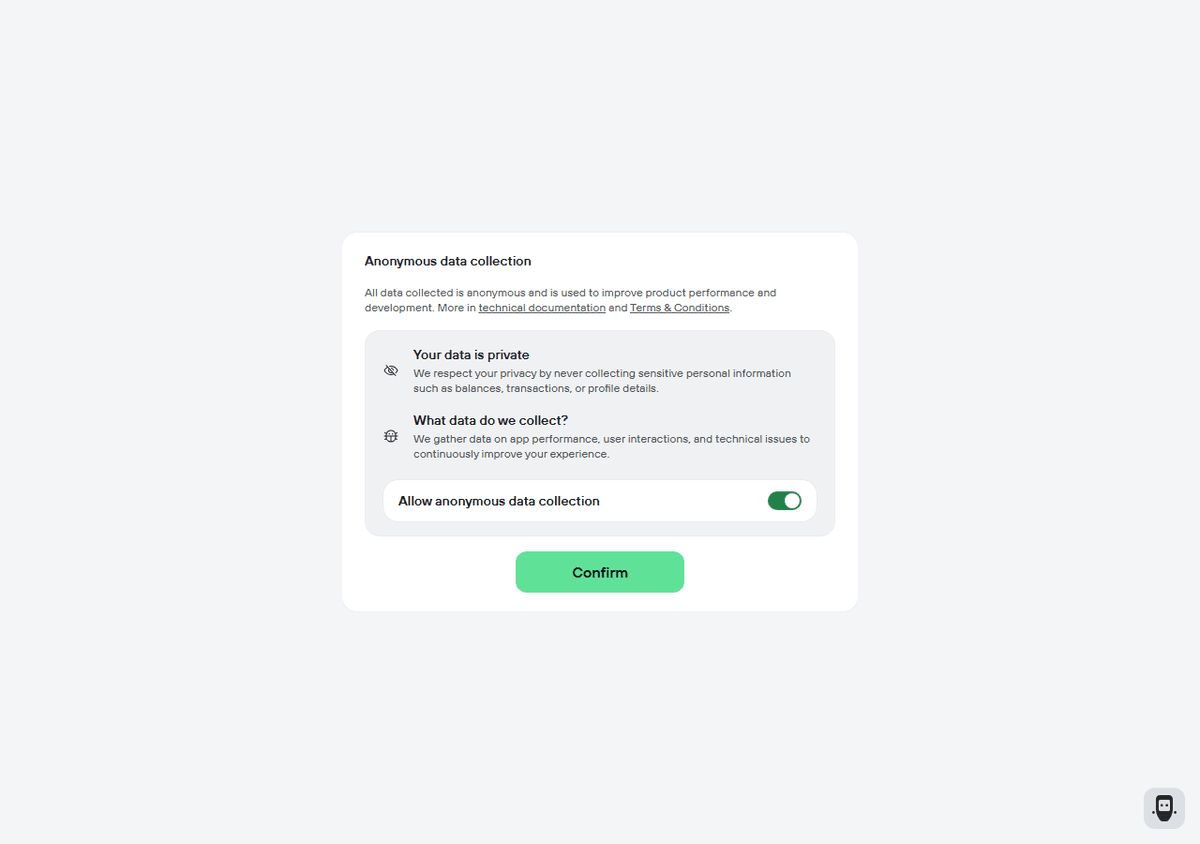
What does the Trezor Suite web app ask on first start?
It asks whether to allow anonymous data collection. The capture shows a card with that title, a note that the data is used to improve product performance and development, and a statement that sensitive information such as balances, transactions or profile details is not collected. A switch labeled “Allow anonymous data collection” appears already turned on, with a Confirm button below it.
Trezor’s analytics documentation says data is only collected with explicit permission and that you can change the setting at any time. On the desktop app it sits under Settings, in the Application section. On mobile it is called Usage data. Look at the position of the switch before you press Confirm. The choice affects analytics and has no effect on your keys. Is Bitcoin Private? explains why small data trails matter.
Where should you download the app, and how do you spot a fake?
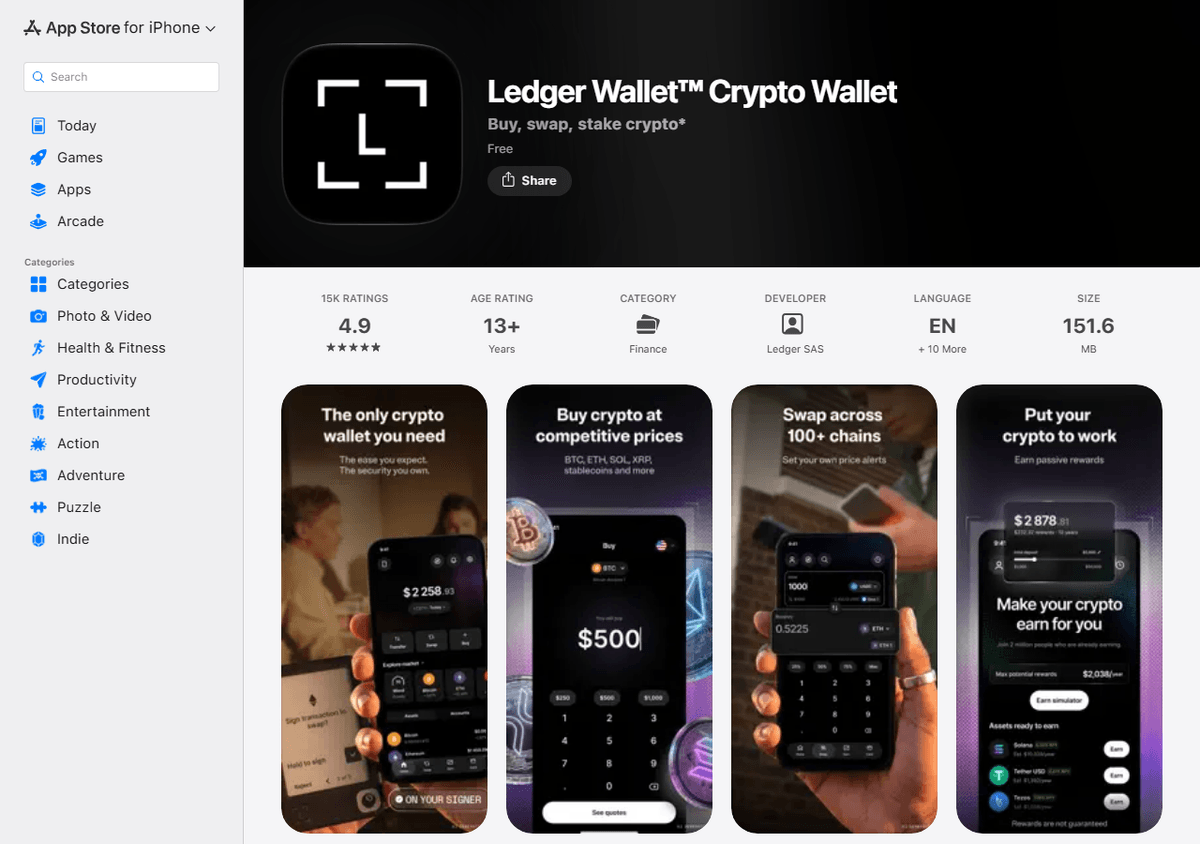
Start from the maker’s own website and follow its links to the official store listing, which beats searching an app store or a search engine. Ledger says the official Ledger Wallet is downloaded from its own website, and it warns that fake apps can look extremely convincing. A fake often shows an error message and asks you to type your recovery phrase. Trezor says to trust only its official website or its GitHub releases page, and to beware phishing sites in search results.
On a store listing, compare the app name and the publisher name with what the maker’s page says, and be wary of clones with similar icons. The capture below shows an App Store listing for Ledger Wallet, with the developer named on the listing. Ratings, size and version change with every update.
Both vendors give the same rule on recovery phrases. Ledger’s site banner says it will never ask for the 24 words of your recovery phrase. Trezor says Suite never asks for your wallet backup and that recovery words belong only on the device. If any app, site or chat asks for them, it is a scam. Fake Crypto Wallets and Websites covers the tricks, and Common Bitcoin Scams and How to Spot Them shows the wider pattern.
What can the app not do, and what if you lose your phone?
The app cannot sign anything without the device, and it never holds your keys. That is why Live and Suite are not the wallet: the recovery phrase is. What Is a Seed Phrase? explains how those words rebuild every key.
If you lose a phone or computer, reinstall the app from the official source and connect the device. Your coins stay on the blockchain and the device still holds the keys. If you lose the device, a new one or a compatible wallet can restore everything from the phrase. If the device and every copy of the phrase are gone, nobody can recover the coins.
How do you set up and use one safely?
Buy the device new from the maker or an authorized reseller, download the app from the official source, and let the device create your recovery phrase. Write it down offline and never photograph it. Send a small test amount first, practice a recovery, and then compare the address on the device screen with the one the app shows every time you send. How to Set Up a Bitcoin Wallet walks through the steps, and Bitcoin Cold Storage Explained covers upkeep. The Start Here path covers the basics in order.
For larger sums, The Power of Self-Custody lists the trade-offs, and a qualified professional can help with inheritance planning. Nothing here says which device or app to choose.
Where to go next
- What Is a Hardware Wallet? How It Works and What to Check: the device behind both apps.
- How to Set Up a Bitcoin Wallet: A Step-by-Step Guide for Beginners: first setup, backup and test payment.
- What Is a Seed Phrase? How Recovery Words Work: the backup that matters more than any app.
Frequently asked questions
Is Ledger Live now called Ledger Wallet?
Yes. Ledger's own pages call the app Ledger Wallet and label it as formerly Ledger Live. Ledger announced the rename in October 2025, and its academy article says the underlying product is the same. Some older support pages and developer documents still use the old name.
What does Trezor Suite do?
Trezor Suite is the app Trezor offers for managing its hardware wallets on a computer, in a browser or on a phone. It shows balances and history, builds payments for you to approve on the device, and offers buying and swapping through third-party providers.
Do these apps hold my bitcoin or my keys?
No. The keys live on the hardware device, and the app only displays balances and prepares transactions for the device to sign. If you delete the app, your coins are unaffected. If you lose the recovery phrase and the device, nobody can restore the keys.
Can I use the app without the hardware device?
Signing a payment always needs the device. Ledger says its app has a Watch Mode that lets you explore and view a portfolio without a connected device, but nothing can be signed or sent that way. Check each vendor's own pages for what else works without one.
Are buying and swapping in these apps done by Ledger or Trezor?
Both vendors say these services come from third-party providers. Each provider sets its own fees, terms and identity checks, and rates change. Compare what you send with what you receive, and read the provider's terms before you confirm.