Technology8 min read
How to Check a Bitcoin Transaction: Reading a Block Explorer
Paste the transaction ID into a block explorer and read the status, confirmations, outputs and fee rate. A step-by-step guide to checking a bitcoin payment.
By Christopher CannucciariPublished
On this page
Key takeaways
- To check a bitcoin transaction, paste its transaction ID into a block explorer. You find the ID in your wallet or the exchange’s withdrawal record.
- Read three things first: the status, the confirmations, and whether your address and the right amount appear among the outputs.
- A fee rate that is low next to the current queue is the usual reason a payment sticks. You can wait, or use replace-by-fee or child-pays-for-parent.
- A transaction that cannot be found may not have been broadcast yet. Your coins are usually still where they were.
- An explorer only reads public data. Never type a seed phrase into one.
How do you check a Bitcoin transaction?
Copy the transaction ID, paste it into a block explorer, and read the status, the confirmations and the outputs.
- Find the transaction ID, or TXID. A wallet shows it in the payment’s details. An exchange shows it in the withdrawal record, but only after broadcasting the payment. What Is a Bitcoin Transaction ID (TXID)? explains the code.
- Open a block explorer by typing its address or using your own bookmark.
- Paste the full 64 characters into the search box.
- Read the page from the top: status, confirmations, then outputs.
A block explorer is a website that reads the public blockchain and the pending transactions its own nodes have seen. Think of a public records window: you can read every entry but change none. Several free explorers exist, some open source. Most run their own nodes, so pending payments can look slightly different. With only an address, search for that and look through its history.
What does a block explorer page show?
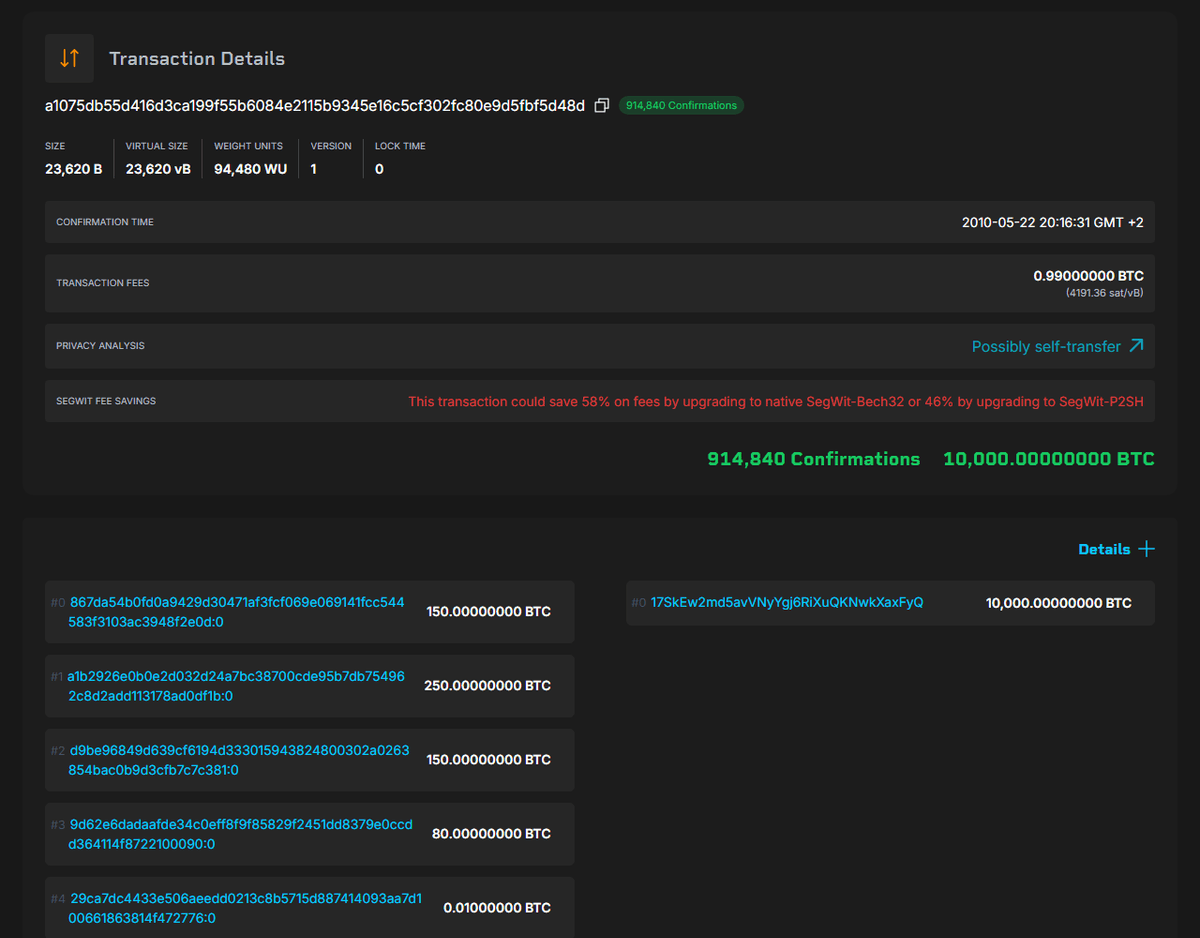
It shows the status, when the transaction was first seen, its size, its fee, and the inputs and outputs. The sample below uses invented values, including a placeholder ID, so none of it is a real payment.
| Field | Example value (invented) |
|---|---|
| Transaction ID | abc123…def789 (placeholder) |
| Status | Unconfirmed, 0 confirmations |
| First seen | 14:02 |
| Size | 140 vB (virtual bytes) |
| Fee | 0.00001400 BTC (1,400 satoshis) |
| Input | 0.01000000 BTC from the sender’s address |
| Output 1 | 0.00600000 BTC to your address |
| Output 2 | 0.00398600 BTC to a change address |
Start with the outputs. The one to your address is what you receive, 0.006 BTC here. The other is probably change returning to the sender, though explorers do not label it. The fee is the gap: 1,000,000 satoshis in, 998,600 out, so the miner collects 1,400. What Is a UTXO? explains inputs and change.
Divide the fee by the size to get the fee rate: 1,400 divided by 140 is 10 satoshis per virtual byte, an invented figure and not a typical rate. Miners rank waiting transactions by this rate, so compare it with the estimates many explorers show. Real rates change by the hour. Bitcoin Fees Explained covers how they are set.
What do status and confirmations mean?
Unconfirmed means the transaction has been broadcast but no block contains it yet, and confirmed means a miner has included it in a block. The count runs from the block holding your transaction up to the newest, so a payment in the latest block has one confirmation and gains another with each block after it. What Is a Bitcoin Block? explains what a block holds.
An unconfirmed payment can still be replaced or dropped, so treat it as a notice, not money in hand. One confirmation is far better, but Bitcoin’s developer documentation (developer.bitcoin.org) notes that the newest block is replaced fairly often by accident. For high-value payments it suggests at least six, a convention and not a rule. If a confirmed transaction drops back to unconfirmed, its block was replaced, and the payment normally turns up in a later one. Double Spending and 51% Attacks explains why more confirmations protect you.
A wallet or exchange adds its own rule on top of what the chain says. An exchange may wait for a set number of confirmations before it credits a deposit, and it can change that number. If the explorer shows two and the exchange wants three, wait one more block, about ten minutes on average. How Long Does a Bitcoin Transaction Take? covers the waits.
What do the different results mean?
Most results fall into a few patterns, and each has a usual cause and a next step.
| What you see | What it usually means | What to do |
|---|---|---|
| Not found | A typo, a payment not yet broadcast, or a replacement under a new ID | Recheck the ID, wait, try a second explorer |
| Unconfirmed, fee rate near or above the estimates | A normal wait, because blocks arrive at random | Wait |
| Unconfirmed, fee rate well below the estimates | Miners are taking higher rates first | Wait, or raise the fee if your wallet allows |
| One confirmation | In a block, but not yet buried deeply | Fine for small amounts, wait longer for large ones |
| Confirmed, but your wallet or exchange says pending | The service waits for its own number of confirmations | Read its deposit page, then ask support |
| Your incoming output marked spent | Whoever controls that address has moved the coins, which may be you or your exchange | Check your own history first; if you did not spend them from your own wallet, treat it as compromised |
Many explorers mark outputs as spent or unspent. “Spent” on an output of your own wallet that you did not spend is a security alarm. First check your history: a wallet often spends old outputs when you send another payment, and an exchange moves its own deposits. What Is a Seed Phrase? explains why a leaked phrase means lost coins.
What if the transaction is stuck?
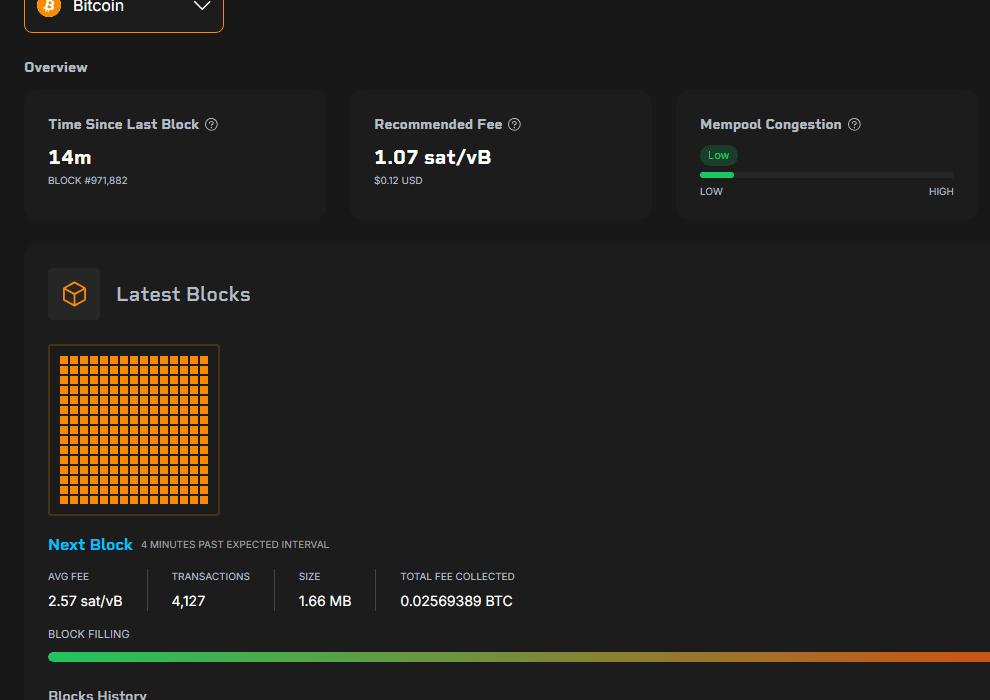
A stuck transaction is almost always one whose fee rate is low next to the current queue. If yours is well below the explorer’s estimates for the next few blocks, you have three options.
Wait. Demand eases and lower rates get into blocks. By default, Bitcoin Core drops a transaction after 336 hours, which is two weeks, and each node operator can change that. A dropped transaction costs you no coins, but do not pay again until you know the first one is gone.
Replace-by-fee. The sender’s wallet swaps the pending payment for a version that spends the same coins and pays more in total. Bitcoin Core’s documentation says that since version 28.0 it accepts such replacements by default, even if the original did not ask for it. Not every node behaves that way, so use your wallet’s own “bump fee” or “speed up” button. The new version has a new ID, so the old one stops being found.
Child-pays-for-parent. The recipient, or the sender through the change output, spends the pending output in a new transaction with a generous fee. Miners who want that fee take the stuck one too, and they weigh the pair together.
On an exchange withdrawal the exchange controls the sending side, so only it can replace the payment. If the coins are coming to your own wallet, child-pays-for-parent may still work. What Is the Bitcoin Mempool? explains the waiting area behind all three, and How to Speed Up a Stuck Bitcoin Transaction walks through each fix. If a delay has legal or financial consequences, ask a qualified professional about your options.
Why can’t you find your transaction?
First work out who was supposed to broadcast it. Your own wallet may have saved the payment but not sent it, for instance because the device was offline. With an exchange withdrawal, a “processing” status usually means the exchange has not put the payment on the network yet, so no explorer has anything to show.
Other causes are a typo, a replacement under a new ID, or a test network, whose worthless coins never appear on the main network’s pages. None of these means your coins are gone. Contact your wallet’s maker or the exchange, never someone who messaged you first.
How do you check an address, and what does it reveal?
An address page lists the total received, the current balance and every transaction involving that address. It helps when you have no TXID, and anyone holding an address can read the same history. What Is a Bitcoin Address? explains the basics.
The site can also see which addresses and IDs your browser asks about, along with your internet address. Your own node keeps those lookups to yourself, as What Is a Bitcoin Node? describes, and Is Bitcoin Private? covers how addresses get tied to people.
How do you confirm a payment someone says they made?
Open the transaction yourself and check four things: your own address is among the outputs, the amount matches, the confirmations meet the standard you set beforehand, and you reached the explorer on your own, not through the payer’s link. A screenshot or TXID from the payer proves little, because a real ID from another payment looks the same. How to Send and Receive Bitcoin Safely covers checking addresses.
Is it safe to use a block explorer?
Looking up a transaction or an address is safe, because an explorer only reads public data. It cannot move coins, and it never needs a seed phrase, a private key or a password. The danger is the site you land on.
Look-alike sites turn up in search ads, so type the address or use a bookmark. Be suspicious of any page that asks you to connect a wallet, “validate” it with recovery words or pay for an accelerator. Common Bitcoin Scams and How to Spot Them lists the usual tricks. New to Bitcoin? The Start Here path covers the basics in order.
Where to go next
- What Is the Bitcoin Mempool? Why Transactions Wait: where a pending payment sits.
- How Long Does a Bitcoin Transaction Take? Confirmations and Fees Explained: why waits vary.
- What Is a Bitcoin Transaction ID (TXID)? How to Read One: what the code is.
- Bitcoin Fees Explained: Exchange Fees vs Network Fees: what sets the fee rate.
Frequently asked questions
How do I check a Bitcoin transaction?
Copy the transaction ID from your wallet or the exchange's withdrawal record, paste it into a block explorer and read the status, the number of confirmations and the outputs. If you have no transaction ID, search for the receiving address instead and look through its history.
How many confirmations does a Bitcoin transaction need?
There is no fixed number. One confirmation means the payment is in a block, and each later block makes it harder to reverse. Six is the traditional convention for large amounts, while services set their own requirement and may change it.
Why can't I find my transaction on a block explorer?
Common reasons are a typo in the ID, a payment that was never broadcast, an exchange that has not released the withdrawal yet, an explorer that has not seen it, a replacement with a new ID, or a test network. Recheck the ID, wait a few minutes and try a second explorer.
Why does my Bitcoin transaction stay unconfirmed?
Usually its fee rate is low compared with other waiting transactions, so miners fill blocks with higher-paying ones first. You can wait, raise the fee with replace-by-fee if your wallet supports it, or have the recipient use child-pays-for-parent. Nodes drop transactions after about two weeks by default, and the coins stay yours.
Is it safe to use a block explorer?
Looking up a transaction or address is safe, because an explorer only reads public data and cannot move coins. Type the address yourself or use a bookmark, and never enter a seed phrase, private key or password on any site that claims to check, speed up or release a payment.